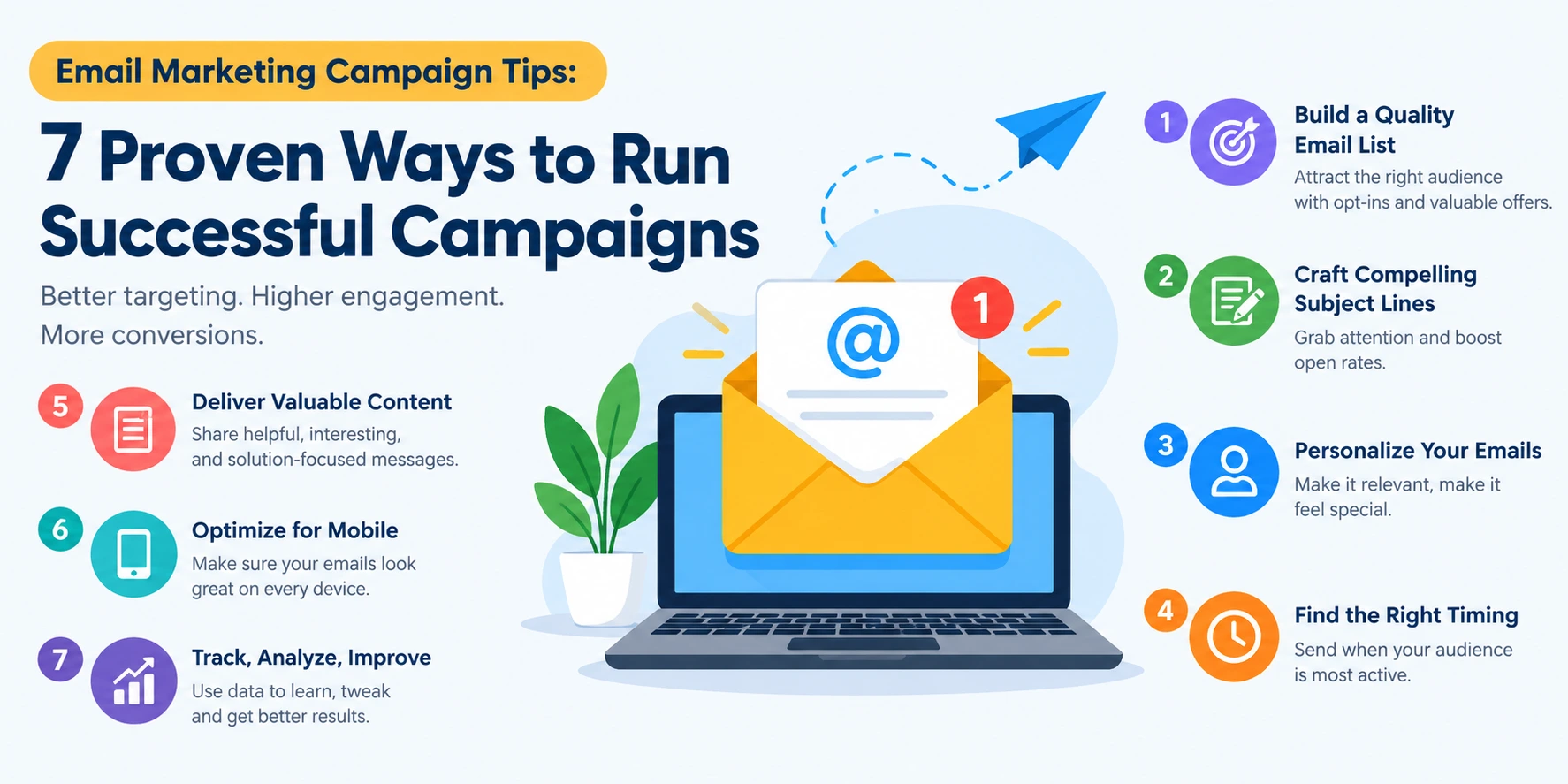
Email Marketing Campaign Tips: 7 Proven Ways to Run Successful Campaigns
The best email marketing campaign tips come down to one idea: send the right message to the right person at the right time, then measure and improve. A successful campaign has a clear goal, a segmented list, personalized content, a strong subject line, a mobile-friendly design, one clear call to action, and ongoing testing.
Email is a core part of any online marketing strategy and one of the few channels you fully own. This guide follows one example campaign, launching an online digital marketing course, so you can see each tip in action.
What Is an Email Marketing Campaign?
An email marketing campaign is a planned email or series of emails sent to a defined audience to achieve one goal, such as a sale, a launch or renewed engagement. Unlike a one-off message, it has a goal, an audience, a schedule and metrics.
What Are the Main Types of Email Marketing Campaigns?
The most common types are welcome emails, promotional emails, newsletters, abandoned cart or reminder emails, and re-engagement emails. Email works alongside other channels, as the 5 types of digital marketing show. Our example is a promotional campaign preceded by a short welcome sequence.
Why Do Email Campaigns Still Work?
You own the list, so you reach people who chose to hear from you without relying on a social algorithm, and every send is measurable.
Email Marketing Campaign Tips at a Glance
1. Know Your Audience and Segment Your Email List
Quick answer: Use subscriber data such as demographics, interests and past behavior to split your list into segments, so each group gets relevant content. Segmentation underpins every other tip here.
How Do You Find the Right Audience for Email Marketing?
Check signup source, location, job role, past clicks and purchases, and feedback from earlier campaigns. Source matters: webinar signups behave differently from blog subscribers, as our guide to webinars that generate more leads explains.
What Is Email List Segmentation?
Email list segmentation means dividing subscribers into smaller groups with shared traits. Targeted emails generally outperform generic blasts.
Running example: We split the course-launch list into students (shown the Digital Marketing for Beginners course), working professionals (the Digital Marketing for Professionals course) and small business owners (shown why small businesses need digital marketing).
Common mistake: Sending one message to the whole list.
2. Personalize Your Emails Beyond First Names
Quick answer: Email personalization means tailoring content, offers, and timing to each subscriber's interests and behavior, not just inserting their name.
What Are Examples of Personalized Emails?
Recommend products similar to past purchases (common in e-commerce digital marketing), send content based on pages viewed, or change the CTA by segment.
Running example: Students see "beginner-friendly, career-ready." Business owners see "grow your brand with in-house skills."
Common mistake: Overdoing it. Too many obvious personal cues feel intrusive.
3. Write Email Subject Lines That Get Opened
Quick answer: A good subject line is clear, specific and honest. It tells the reader what's inside and gives a reason to open.
What Makes a Good Email Subject Line?
Keep it short, since inboxes cut off long lines on mobile. Say what the reader gets, create curiosity or urgency honestly, and test numbers and questions. Compare "Big Sale!" with "Early-Bird Seats for Our Digital Marketing Course." The second is specific. You can draft variations with AI tools for digital marketing, then edit the best by hand.
How Do You Keep Subject Lines Out of Spam Folders?
Avoid spammy phrasing, excessive capitals and misleading claims. Email only people who opted in, and keep your list clean.
4. Design Mobile-Friendly Emails
Quick answer: Use a single-column, responsive layout with short copy, readable text and large, tappable buttons.
A large share of emails are opened on phones, so a hard-to-read layout loses readers fast. [A Mailchimp data on mobile use email engagement] Test every email on several devices before sending.
Running example: Our course email has one hero image, three short lines of copy and one large "Reserve My Seat" button.
Common mistake: Designing on desktop and never checking the phone view.
5. Add a Clear Call to Action (CTA)
Quick answer: A good CTA is specific, action-oriented and visually obvious. It tells the reader exactly what to do next.
How Do You Write a Good Email CTA?
Start with a verb, say what the reader gets, make the button stand out, and place it where it's visible without scrolling. Use one primary action per email. "Click here" becomes "Get the Free Course Outline." For inspiration, see the 10 best digital marketing campaigns.
Common mistake: Competing CTAs that confuse the reader.
6. Get Timing and Frequency Right
Quick answer: There is no universal best time or frequency. Start with benchmarks, then test your own audience.
What Is the Best Time to Send Marketing Emails?
Studies often point to weekday mornings or midday, but results vary by audience and industry. Best time to send email. Professionals may open emails before work, while students may respond in the evening. Test several time slots and compare results.
How Often Should You Send Marketing Emails?
Newsletters may go weekly or monthly. A launch may need 3-5 emails over a couple of weeks. Stay consistent and watch unsubscribe rates.
Running example: The course launch runs as five emails over two weeks: announcement, benefits, social proof, FAQ and last call.
7. Track Email Marketing Metrics and A/B Test
Quick answer: Track open rate, click-through rate, conversion rate, bounce rate and unsubscribe rate, then improve one element at a time.
How Do You Measure the Success of an Email Campaign?
Open rate shows how well your subject line works. Click-through rate shows how relevant your content and CTA are. Conversion rate shows whether people completed the goal. Bounce and unsubscribe rates reveal list health and frequency problems. High opens with low clicks usually mean the content or CTA needs work.
What Is a Good Open Rate and Click-Through Rate?
Benchmarks vary by industry, and email privacy features have inflated open rates, so compare against your own past campaigns first.
How Do You A/B Test an Email Campaign?
Change one element, such as the subject line, CTA or send time. Send each version to an equal, random share of your list, compare results on one metric, then use the winner and test the next element.
Running example: We tested "Early-Bird Seats Are Open" against "Start a Digital Marketing Career in 6 Months."
Email Marketing Tools for Running Campaigns
The right tool depends on your list size, budget and goal. All four below cover templates, scheduling and reporting, so the differences are pricing and what each locks behind paid plans. Prices are in USD and change often.
Mailchimp: best for beginners
- Free plan: 250 contacts, 500 emails a month. Paid plans start at $13 (Essentials) and $20 (Standard).
- Multi-step automations need Standard.
- Watch out: at 5,000 contacts, costs reach $75 (Essentials) and $100 (Standard).
Brevo: best for budget teams
- Priced by emails sent, not contacts. Free plan: 300 emails a day. Paid plans start at $9 (Starter) and $18 (Standard).
- Automation needs Standard.
- SMS and WhatsApp are billed extra.
- Watch out: the free plan can't send to more than 300 people at once.
HubSpot: best for CRM and email together
- Free plan: 2,000 email sends a month. Workflows need Professional ($890 a month).
- Starter: $15 per seat a month (annual) or $20 (monthly).
- Watch out: the Starter-to-Professional jump is steep, plus a $3,000 onboarding fee.
Klaviyo: best for e-commerce stores
- Free plan: 250 profiles, 500 emails a month. Email plan starts at $20.
- Strong segmentation on every plan.
- Watch out: you pay for all active profiles, about $30 a month at 1,000 contacts and $150 at 10,000.
How to choose
- Small list, simple needs: Mailchimp
- Low cost, may add SMS: Brevo
- Lead tracking plus email: HubSpot
- Online store with purchase data: Klaviyo
- Our course-launch example fits Mailchimp or Brevo, since it needs a small list and a simple email sequence.
- Before paying, check which features sit on higher plans, and run one real test campaign on a free plan.
For more options beyond email, see our digital marketing tools list for beginners.
Frequently Asked Questions
- How do I start an email marketing campaign?
Define one goal, choose an audience segment and pick an email platform. Write a clear subject line and email with one CTA, send a test, then launch and track results. - How do you write a marketing email?
Start with a subject line that promises a clear benefit. Open with something relevant, keep the body short and scannable, and end with one specific CTA. Check the mobile view before sending. - Is email marketing worth it for small businesses?
Yes. It gives small businesses a direct, low-cost channel to an audience they own. With segmentation and a clear goal, even a small list can perform well. - What is a good email marketing campaign example?
A course provider sends a five-email launch sequence to a segmented list, with each email focused on one theme and one clear call to action. - How do you build an email list from scratch?
Offer a free guide, checklist, or template in exchange for an email address. Add short signup forms to your website and blog posts, and always collect consent. - What is the difference between email marketing and email automation?
Email marketing is sending emails to reach a goal. Automation sends them automatically after a subscriber action, such as signing up or abandoning a cart, saving time. - How do you reduce email unsubscribe rates?
Set clear expectations at signup, segment your list, avoid over-sending, and offer a preference center so subscribers can choose topics or frequency instead of leaving entirely. - How do you clean an email list, and why does it matter?
Remove invalid addresses, hard bounces, and long-inactive subscribers. This improves deliverability, makes your metrics more accurate, and protects your sender reputation so more emails reach the inbox.
Conclusion
The best email marketing campaign tips work as a connected process: segment your audience, personalize the message, write a subject line worth opening, design for mobile, add one clear CTA, send at the right time and measure everything. Each campaign then teaches you how to run the next one better.
Want to learn email marketing alongside SEO, social media and paid ads? Explore the Online Digital Marketing Course at Dizital Adda.