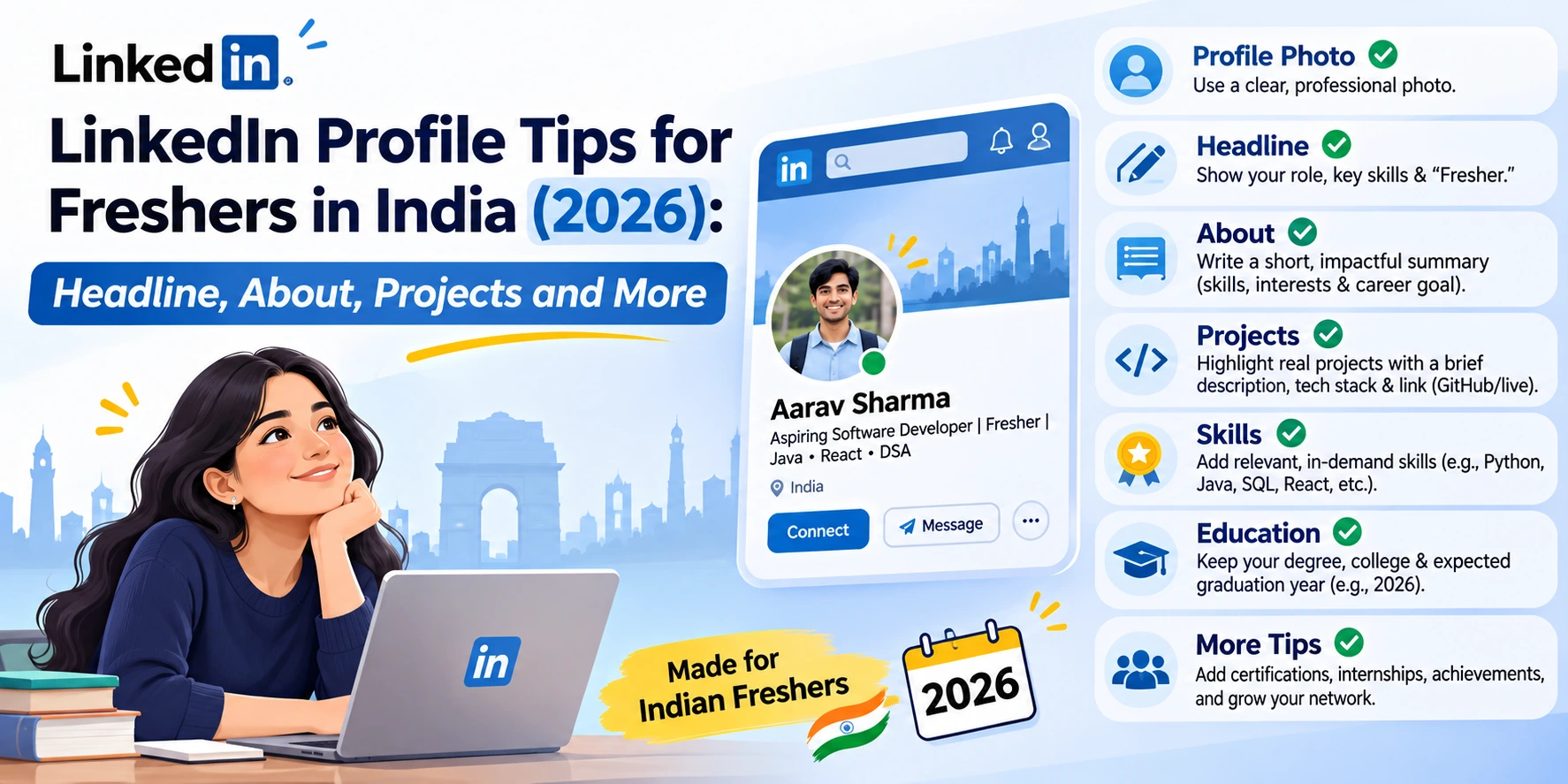
LinkedIn Profile Tips for Freshers in India (2026): Headline, About, Projects and More
Quick Overview:
If you are looking for LinkedIn profile tips for freshers in India, here is the short version. Add a clear photo. Write a headline that shows the job you want and the skills you have. Keep your About section short. Add your projects and internships. Then switch on Open to Work. Below, we go through each step with simple examples you can copy and change.
What to Put on a LinkedIn Profile for Freshers With No Experience
Freshers face a different problem from people who have worked for years. Unlike experienced professionals, you may not have years of work experience to showcase.
That's why your profile should focus on what you can actually bring to the table.
- Keep your About section short.
- Add your projects and internships.
- Freelance work or small paid jobs
- College projects, including group projects
- Courses and certificates you have finished
- Volunteer work
- Recruiters search LinkedIn by job title, skills, city and college.
Adding relevant information in the right sections can help your profile appear in more searches instead of getting overlooked.
Highlight experiences related to your dream job, even small ones like managing a college fest's Instagram page or building a website for a local shop. Focus on what you did and the results rather than using vague descriptions.
Don't have much experience? Create sample projects, such as a keyword plan or data dashboard, and add them to your Projects section. You can also check out our guides on building a digital marketing portfolio for freshers and finding a digital marketing internship.
How to Write a LinkedIn Headline for Freshers
Your headline appears under your name in search results, comments and connection requests. If you leave it alone, LinkedIn fills it with your latest job or course. For most freshers it ends up as "Student at XYZ College", and that does not tell a recruiter what job you want.
Try this pattern:
Target role or field | Main skills | Degree and year | What you want
Here are some examples you can change to fit you:
- Aspiring Digital Marketer | SEO, Google Ads, Content Writing | BBA 2026 | Open to Internships
- Data Analytics Fresher | Excel, SQL, Power BI | B.Com Graduate | Looking for Analyst Trainee Roles
- Cyber Security Fresher | Ethical Hacking Basics, Network Security | BCA 2026 | Open to Entry-Level Roles
- UI/UX Design Fresher | Figma, Wireframing, Prototyping | Portfolio in Featured
These are only templates. Write only the skills you can talk about in an interview.
Writing a LinkedIn headline? Keep these 4 things in mind:
- Lead with your target role: Use job titles and relevant skills instead of just writing "Student".
- Mention your degree and year: For example, BBA 2026, if relevant to the role.
- Keep it concise: Add 2–3 relevant skills instead of filling every available character.
- Skip generic words: Replace terms like "hardworking" and "passionate" with actual skills recruiters can search for.
How to Write the LinkedIn About Section for Freshers
The About section is the only place on your profile where you can speak in your own voice. Many freshers leave it blank or paste in the objective line from their resume. A short and clear introduction works better. Write it in three parts:
- Who you are and what you want. One or two lines about your field and the jobs you are looking for.
- What you have done. Your projects, internships, courses and the tools you have used.
- How to contact you. Say what kind of role you want and add your email address.
Here is a sample for a digital marketing fresher. It is made up, so replace it with your own details:
I am a BBA graduate looking for an entry-level job in digital marketing. In my final year, I managed the Instagram page for our college fest, wrote blog posts for a local café, and completed a course on SEO, Google Ads and analytics. I can do keyword research, set up basic ads and write for social media. I am open to internships and trainee roles in Delhi NCR. You can reach me at yourname@email.com.
Keep your paragraphs short. Only the first few lines show before the "See more" link, so put your target role and your best point at the start. The limit for this section is often said to be 2,600 characters, but most freshers need much less.
LinkedIn Projects Section for Freshers
When you do not have much work history, the Projects section does a lot of the job. It shows a recruiter what you have made, not just what you have studied. For every project, add:
- A clear title. For example, "SEO audit of a local bakery website".
- A short description. What the problem was, what you did and which tools you used.
- A link. A document, a dashboard, a GitHub page, or a Figma or Behance file.
- The result, if you have one. Use real numbers only.
Here are some project ideas for each field:
- Digital marketing: a Google Ads plan for an imaginary business
- Data analytics: a Power BI dashboard made from a public dataset
- Cyber security: a write-up of a weakness you found in a practice lab
- UI/UX design: a redesigned screen of an app you use
If you want to work in data, start with our guides on SQL for data analysts and Power BI dashboards. If cyber security is your goal, our beginner path to cyber security and ethical hacking is a good first step.
Use the Featured section for your best one or two pieces, such as a portfolio link. That way they show up near the top of your profile.
LinkedIn Profile Photo and Banner, Skills and Custom URL
Skills: Add skills that match the roles you're targeting and keep the most relevant ones at the top. You can also ask a lecturer, mentor, or classmate familiar with your work to endorse them.
LinkedIn profile photo: Choose a recent photo with good lighting and a simple background. Your phone camera is enough. Avoid group photos and heavy filters.
LinkedIn banner: Make use of the banner space by adding your field or a short line about what you do.
Custom URL: Replace the random letters and numbers in your LinkedIn profile link with your name. It looks cleaner when shared on your resume or in emails. You can edit it through your public profile settings.
LinkedIn SEO for Freshers: Words Recruiters Search For
Out of all the LinkedIn profile tips for freshers in India, this one is the easiest to do. LinkedIn search works on the words in your profile. So the job titles and skills that employers use should appear in your headline, About section, Projects, Experience and Skills.
Here is a simple way to find those words. Open five job posts for the role you want, like "digital marketing trainee" or "junior data analyst". Note the titles and tools that come up again and again. If those words describe what you can really do, use them. If you have never used a tool, leave it out. A false keyword is caught in the first interview call, and repeating one word ten times does not help.
Also fill in your location and industry. Recruiters often search by city.
LinkedIn Open to Work for Freshers: Who Should See It?
Open to Work lets you tell recruiters which jobs and locations you want. Look for the "Open to" button on your profile. LinkedIn gives you a few choices about who can see this signal, so read them before you pick one. Many career guides say freshers should make it visible to everyone, because you want people to notice you. If you already have a job and are searching quietly, a more limited setting may suit you better.
Be specific when you fill it in. Add two or three job titles you would take, and the cities where you can work.
LinkedIn Profile for Freshers by Field
The basics are the same for everyone, but the words and projects change with your field. Here is a quick guide for four common ones.
LinkedIn headline for digital marketing freshers
Use words like SEO, Google Ads, content writing, social media and email marketing. Show a small campaign, a blog or a keyword plan in your Projects or Featured section. Example: Aspiring Digital Marketer | SEO, Google Ads, Content Writing | BBA 2026.
LinkedIn profile for data analyst freshers
Recruiters look for Excel, SQL, Power BI, Tableau and Python. Add a dashboard or a case study from a public dataset, and explain in two lines what you found. Example: Data Analytics Fresher | Excel, SQL, Power BI | B.Com Graduate.
LinkedIn profile for cyber security freshers
List the basics you have learned, such as network security, ethical hacking and Linux. Add certificates, practice lab write-ups and any capture-the-flag events you joined. Never share anything that could harm a real system or person. Example: Cyber Security Fresher | Network Security, Ethical Hacking Basics | BCA 2026.
LinkedIn profile for UI/UX or graphic design freshers
For design, your work matters more than your words. Put your Behance, Figma or portfolio link in the Featured section. Add two or three projects with a short note on the problem and your steps. Example: UI/UX Design Fresher | Figma, Wireframing, Prototyping | Portfolio in Featured.
LinkedIn Profile Mistakes Freshers Make
- Leaving the headline as "Student at [college name]"
- Writing a general About section with no tools, projects or target role
- Adding skills you have never used
- Using a cropped group photo or a casual selfie
- Having a profile that says one thing while the resume says another
- Forgetting to update the profile after a new course, project or internship
- Sending connection requests without any message
LinkedIn Profile Checklist for Freshers
Use this list to check your profile before you apply anywhere:
- A clear, recent photo
- A headline with your target role, skills, degree and year
- An About section in three short parts
- Education with your graduation year
- At least two projects or internships with a short description
- Skills that match the jobs you want
- A custom profile URL
- Open to Work set up with specific job titles and cities
- Location and industry filled in
- Details that match your resume
Check your profile at least once every semester, and again after each new course, project or internship.
Frequently Asked Questions
- What should a college student put on a LinkedIn profile?
Start with a clear photo, a relevant headline, a short About section, and your education details. You can also include internships, projects, college activities, part-time work, and skills you've developed. - What is the best LinkedIn headline for freshers with no experience?
Keep it simple by mentioning your target role, two or three relevant skills, and your degree and graduation year. For example: "Aspiring Digital Marketer | SEO, Google Ads | BBA 2026". - Should freshers add their education to the LinkedIn headline?
Yes, but keep it brief. Add your degree and graduation year after your target role and skills. This can help employers identify candidates from specific batches. - Should I write my job title or what I do?
If you're not employed yet, mention the role you're aiming for and the skills you bring. Once you have a job title, you can include that along with your key responsibilities. - Do keywords in my headline change how I show up in LinkedIn search?
Using relevant job titles and skills can make your profile easier for recruiters to find. Your headline is a good place to include them, but don't forget to use relevant keywords naturally throughout your profile. LinkedIn doesn't publicly reveal its exact search ranking system. - How often should I update my LinkedIn profile as a student?
Review it at least once every semester. Also, update it whenever you complete a new course, project, or internship.
Final Thoughts
The best LinkedIn profile tips for freshers in India come down to one thing: be specific. Say which job you want, show the work you have done, and use the words recruiters search for. Your profile does not have to be perfect this week. Fix your headline today, add one project tomorrow, and keep improving it from there.
Next, practise talking about yourself out loud. Our guide on interview questions and self-introduction tips can help, and our success stories page shows how other learners built their careers.